Windows Troubleshooting
Written By Zsolt
Last updated About 1 year ago
Installer Blocked by Firewall
If you cannot install Plotlyst on Windows because the installer MSI file seemingly doesn’t execute anything, make sure your firewall (or antivirus) doesn’t block the file. Right-click on the MSI file→ Properties, and check the Security - Unblock option.
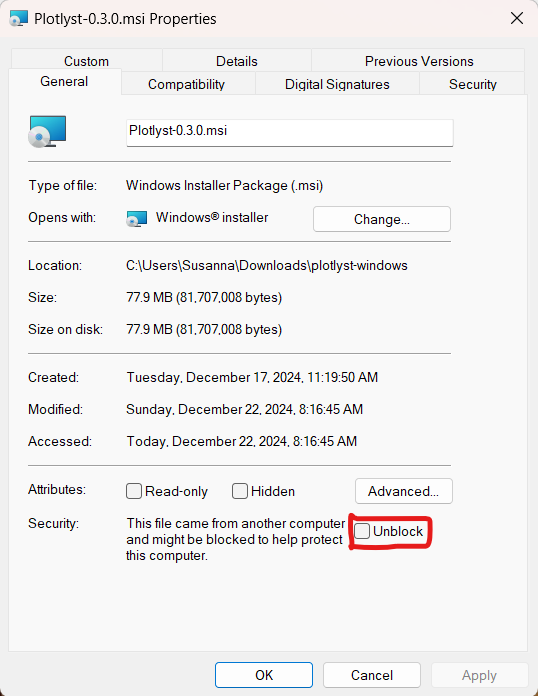
Why does this happen? Your firewall might block the file because Plotlyst is still a new software with few installations. So your firewall doesn’t recognize it and might decide to block it. The more installations the app gets, the more likely this problem will disappear.
Installation Disallowed in Advanced App Settings
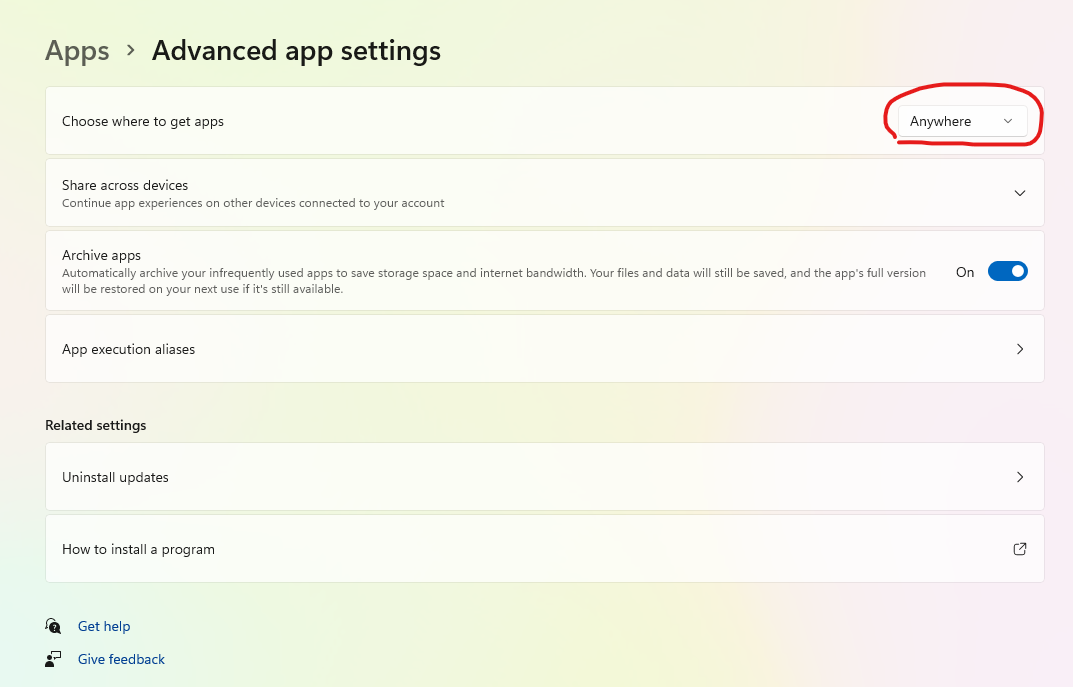
Make sure your Windows allows installing 3rd party software from other sources than the Windows Store. In Settings, search for Advanced app settings and select the option Anywhere in the setting “Choose where to get apps.“
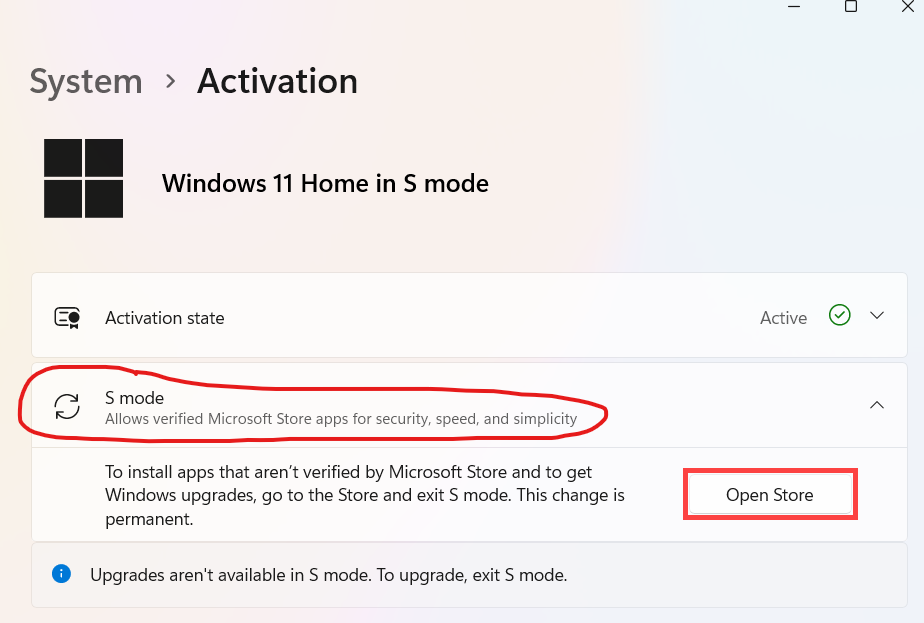
Windows S Mode Enabled
If your Windows distribution is in S mode, which means extra protection is applied and you can only install software from the Windows Store, you have to disable this option. You can find this option in Settings → Activation.